Till and camera disagree? Sanak shows where, and how much
Sanak checks every receipt against the camera over the till: payments that bypass the till, refunds with no guest, deleted receipts, discounts for friends. You get the minute of footage worth watching and the money in question.
The example opens without signing up.
Works with 1С (Розница, УТ, УНФ) and IP cameras with ONVIF or RTSP.

A guest was served, no receipt
The guest paid, no receipt was rung — cash past the till
A refund with nobody at the till
A refund is rung with nobody at the till
Receipt deleted after the guest left
Rung while the guest stood there, deleted once they left
Discounts far above colleagues'
A cashier discounts for “friends” far more than peers
What it looks like
A guest paid cash, got a coffee and left. The camera saw the payment; the till rang nothing. Sanak records it as a case: the time, the cashier on the roster, ≈ the average receipt — and the minutes worth opening on your recorder.
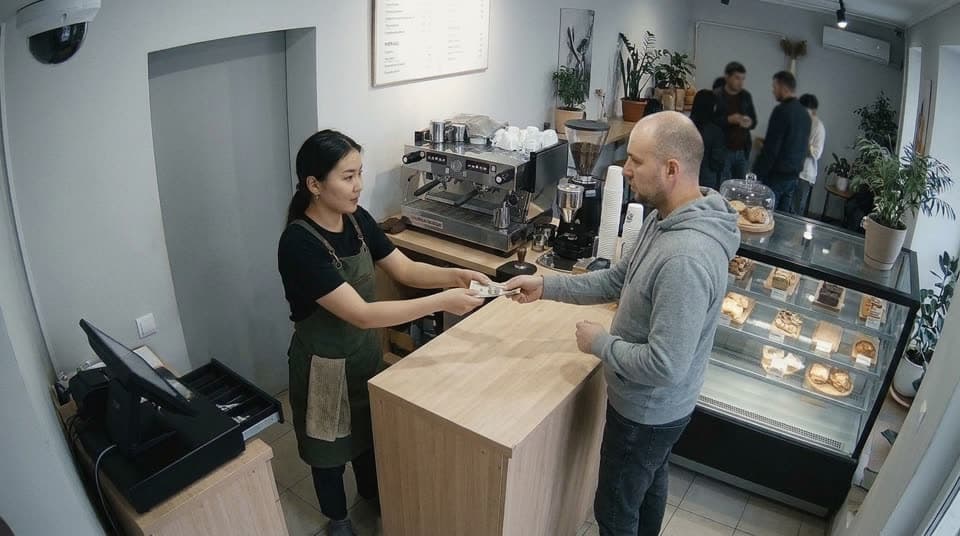 Counter · 1/3
Guest hands over cash — the terminal is not touched 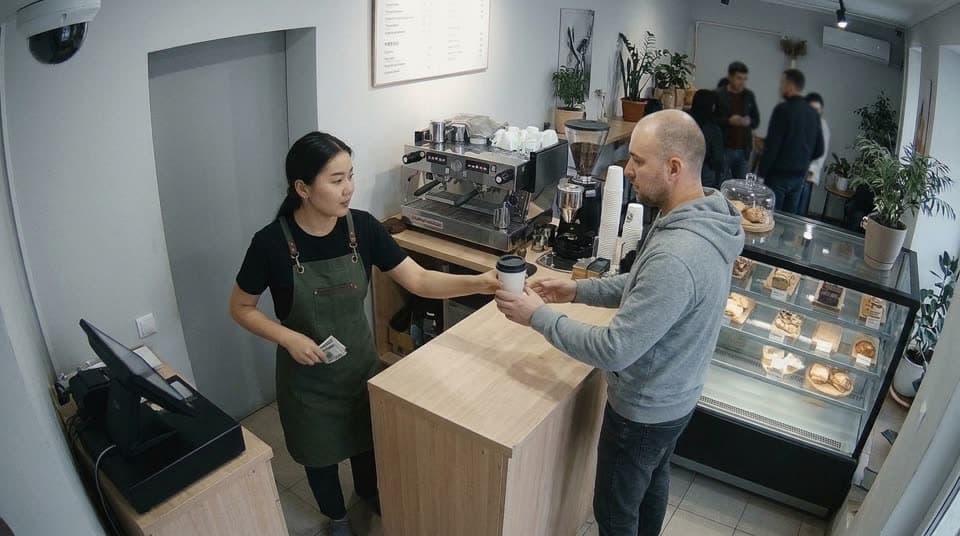 Counter · 2/3
Coffee handed over, the notes go into the apron pocket 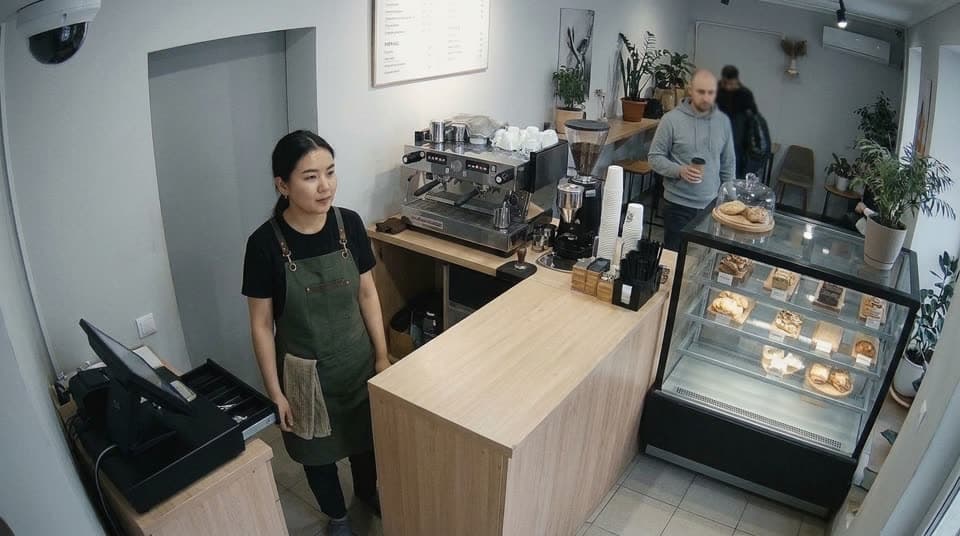 Counter · 3/3
Guest gone. No receipt
How it works
- 1
Say where the sales come from
A receipt export from 1С or a file. Nothing to install on the till.
- 2
Sanak puts the day together
Sales after refunds, receipts, average receipt — each with its source and time.
- 3
Open it on your phone
One screen answers how the day is going. The rest waits until you need it.
What you should know
- Cameras are optional. Start with the till or just a daily total.
- Sanak does not recognise faces or identify people. The camera above the till counts how many are waiting.
- Nothing switches itself on. You turn on each capability yourself.
Get in touch
Write to us to connect a venue or ask a question.